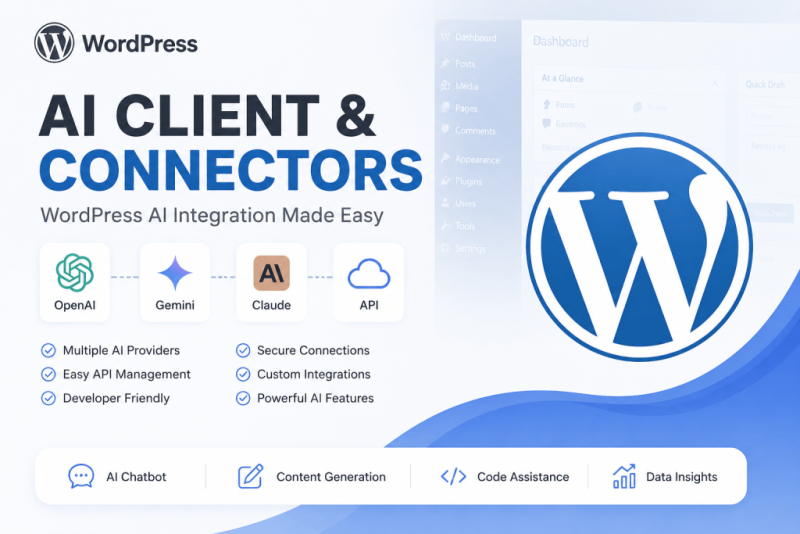
To use the new AI Client / Connectors framework in WordPress 7.0, the flow is:
- Install an AI provider connector
- Add your API key
- Call the AI client in PHP
- Build features (chat, summaries, SEO generation, FAQ generation, etc.)
WordPress 7 introduces a unified AI layer so plugins no longer need separate OpenAI/Gemini/Claude implementations. API keys and providers are managed centrally.
Step 1: Install an AI Connector
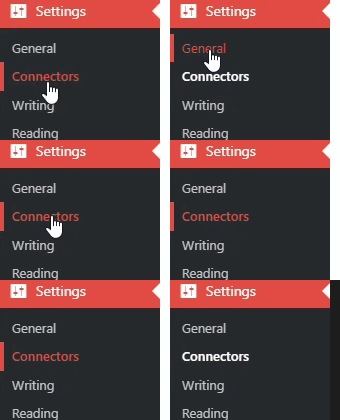
Go to:
Dashboard → Settings → Connectors
You’ll see connectors such as:
- OpenAI
- Google Gemini
- Anthropic Claude
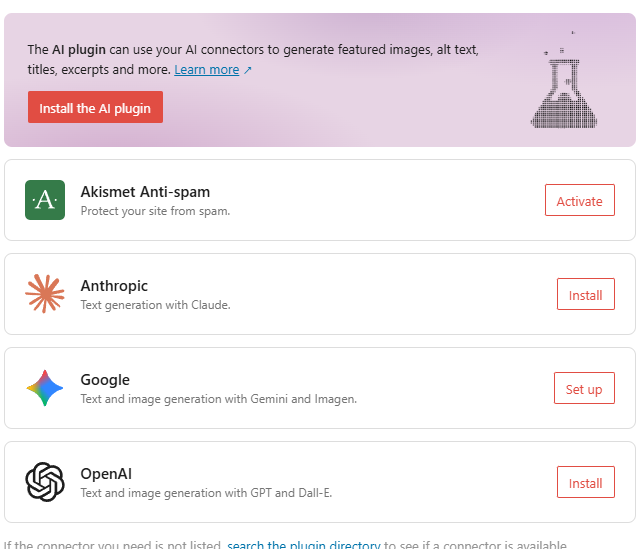
WordPress discovers compatible providers automatically.
Step 2: Add your API key
Example:
- Install google connector plugin
- Open Settings → Connectors
- Enter API key
- Save
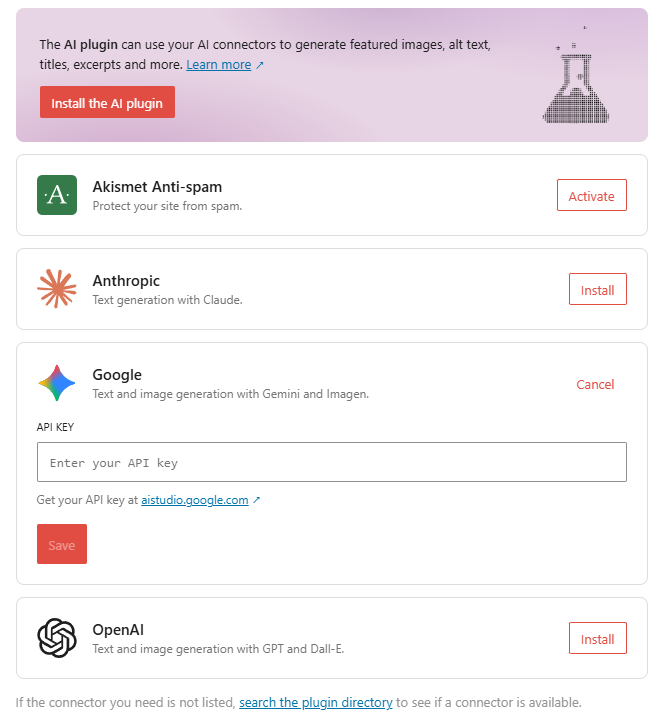
Now WordPress stores credentials centrally. Plugins using the AI Client can reuse them automatically.
Step 3: Generate content from PHP
Example plugin code:
<?php

function generate_ai_content() {

    $prompt = wp_ai_client_prompt()
        ->add_message(
            'user',
            'Write a 100-word blog about WordPress SEO'
        );

    $response = $prompt->generate_text();

    if (is_wp_error($response)) {
        return $response->get_error_message();
    }

    return $response->content;
}

echo generate_ai_content();
The AI client normalizes provider communication and handles credentials for you.
Step 4: Real project example — Auto-generate FAQs for your blog CPT
Since you were working on your custom blog post type:
<?php

function generate_blog_faq($post_id){

    $post = get_post($post_id);

    $prompt = wp_ai_client_prompt()
        ->add_message(
            'user',
            'Generate 5 FAQs for this article: '
            . $post->post_content
        );

    $result = $prompt->generate_text();

    if(is_wp_error($result)){
        return;
    }

    update_post_meta(
        $post_id,
        'ai_faq',
        $result->content
    );

}

add_action(
    'publish_blog',
    'generate_blog_faq'
);
This workflow:
- User publishes blog post
- AI reads content
- AI creates FAQs
- FAQs save automatically into post meta
Step 5: Advanced usage (choose model)
<?php

$response = wp_ai_client_prompt()
    ->model('gpt-4o')
    ->add_message(
        'user',
        'Create SEO title and description'
    )
    ->generate_text();
Possible use cases:
✅ Auto SEO title generation
✅ FAQ generation
✅ Product descriptions
✅ AI chatbot
✅ WooCommerce descriptions
✅ Article summarizer
✅ Auto tags/categories
✅ RAG/document search
For WordPress developers, the main advantage is:
Old approach
OpenAI API
↓
Custom API code
↓
Store API key
↓
Handle retries
WordPress 7 approach
AI Client
↓
Connector
↓
Provider (OpenAI/Gemini/Claude)
Much less custom code and easier provider switching.
Frequently Asked Questions
1. What is the AI Client / Connectors Framework in WordPress?
The AI Client / Connectors Framework is a system that allows WordPress developers to connect AI providers through a unified interface instead of creating separate integrations for each API.
It helps developers:
- connect multiple AI providers
- manage API keys centrally
- simplify AI integration
- reduce development time
2. Why should developers use the AI Client Framework?
The framework simplifies AI integration by removing repetitive API logic.
Benefits:
- less custom code
- easier provider switching
- centralized API management
- better maintainability
- faster development
3. Which AI providers can be connected?
Common providers include:
- OpenAI
- Google Gemini
- Anthropic Claude
- other supported AI services
Developers can switch providers without rewriting large sections of code.
4. How do I configure an AI connector in WordPress?
Basic setup process:
- Install the AI connector/plugin
- Add API credentials
- Configure provider settings
- Test the connection
- Start using AI features
5. Can I use the AI Client Framework with custom plugins?
Yes.
Developers can integrate the framework into:
- custom plugins
- themes
- widgets
- Gutenberg blocks
- custom post types
6. How can I generate AI content automatically?
Example use cases:
- auto-generate FAQs
- create SEO titles
- generate descriptions
- create summaries
- build chatbot responses
Example PHP:
$response = $client->generate(
    "Create 5 FAQs about WordPress SEO"
);
7. Can I build AI chatbots using this framework?
Yes.
You can build:
- customer support chatbots
- FAQ assistants
- product recommendation systems
- AI helpdesk tools
- website assistants
8. Does the framework support PHP development?
Yes.
PHP developers can integrate AI directly into WordPress plugins and applications.
Example:
$client->generate(
    "Write SEO meta description"
);
9. Can AI-generated content be stored in custom fields?
Yes.
AI-generated content can be saved into:
- post meta
- custom fields
- custom post types
- database tables
Example:
update_post_meta(
    $post_id,
    'ai_summary',
    $result
);
10. What are real-world use cases of AI Client Framework?
Popular use cases include:
- AI SEO generation
- content summaries
- FAQ generation
- WooCommerce descriptions
- AI chatbots
- article generation
- document analysis
- customer support automation
11. Can the AI Client Framework reduce API development complexity?
Yes.
Instead of:
OpenAI API
↓
Custom authentication
↓
Error handling
↓
Multiple provider code
You can use:
AI Client
↓
Connector
↓
Provider
This reduces complexity and improves code reuse.
12. Is the AI Client Framework suitable for production websites?
Yes, when properly configured and tested.
Recommended practices:
- secure API keys
- validate inputs
- cache responses
- handle errors
- monitor usage and costs
These FAQs are optimized for FAQ schema and long-tail search traffic.