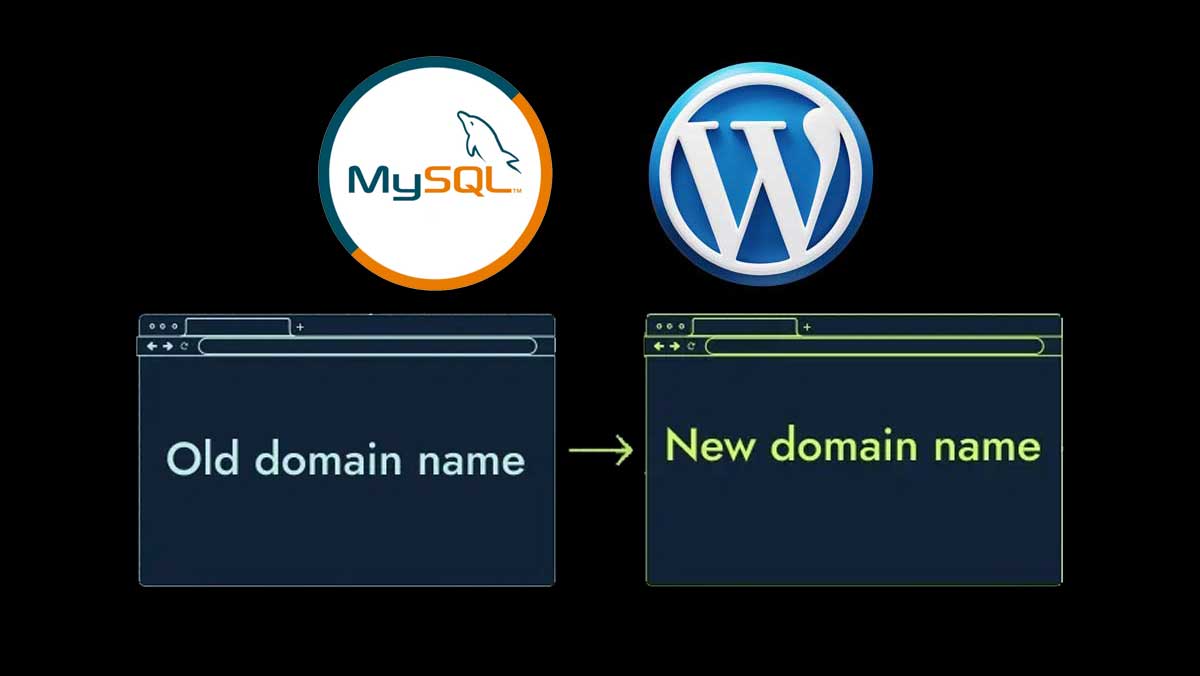
Moving a WordPress site to a new domain or server—whether for development, rebranding, or restructuring—comes with its own set of challenges. One of the trickiest parts is updating all the internal URLs stored in your database so that nothing breaks: links, media files, widgets, plugin settings, or serialized data.
In this post, we’ll walk through why you need to update database URLs, where these URLs are stored, and how to replace them safely (including handling serialized data). We’ll also touch on some special cases (like WidgetKit) and best practices to avoid broken sites.
Why You Can’t Just “Search & Replace” Blindly
At first glance, updating a URL in the database seems as simple as
UPDATE wp_posts
  SET post_content = REPLACE(post_content, 'http://oldsite.com', 'http://newsite.com');
However, that naive approach has pitfalls:
- Many WordPress options, plugin settings, widgets, and themes store values as serialized PHP strings (i.e. with lengths and delimiters). If you change one string length (like making oldsite.com → newsite.com) without adjusting the length metadata, the serialization breaks, and PHP can’t parse it correctly.
- Some data (e.g. GUID fields or certain plugin-specific settings) may not need changing, or might break if changed incorrectly.
- You must also update everywhere — not just post content: the wp_options table, wp_postmeta, and sometimes plugin-specific tables.
This is a well-known issue in the WordPress community. As one answer points out:
“What you’re looking at is serialized data … if I just replace the IP with the domain name, the configuration files will get corrupted.”
So, the task is: replace URLs safely across all relevant tables, without breaking serialization or losing data.
The Gist: Core SQL Commands for URL Replacement
One of the most commonly shared code snippets (also available in the gist you linked) performs replacements in the main WordPress tables
UPDATE wp_options
  SET option_value = REPLACE(option_value, 'http://www.oldurl', 'http://www.newurl')
  WHERE option_name = 'home' OR option_name = 'siteurl';

UPDATE wp_posts
  SET guid = REPLACE(guid, 'http://www.oldurl', 'http://www.newurl');

UPDATE wp_posts
  SET post_content = REPLACE(post_content, 'http://www.oldurl', 'http://www.newurl');

UPDATE wp_postmeta
  SET meta_value = REPLACE(meta_value, 'http://www.oldurl', 'http://www.newurl');
This is exactly the content of the gist (named wordpress-url-change-options.sql) you shared. Gist
These commands cover:
- Changing the site URL and home URL entries in wp_options.
- Updating the guid column in wp_posts.
- Replacing URLs inside post content.
- Replacing URLs inside post metadata.
However—these queries alone are not enough in many cases, especially when serialized data or plugin-specific settings are involved. Many tutorials (for example, from WPBeaches) use these as a baseline and then augment with additional steps.
Safely Handling Serialized Data & Complex Cases
Because many plugins/themes store data as serialized PHP arrays/objects, you can’t blindly run REPLACE() on them. Doing so may break the string length metadata and corrupt the data.
Here are some safer strategies:
- Use a “search-and-replace” tool built for WordPress
A highly recommended one is Search-Replace-DB (by interconnect/IT). It understands serialization and fixes lengths correctly. Many experienced developers rely on it when migrating. (Mentioned in various community answers.) WordPress Development Stack Exchange+1 - WP Migrate / Migration Plugins
Tools like WP Migrate Pro can do a find-and-replace across your database while preserving serialized data. They often include additional safeguards and don’t rely purely on SQL. WP Beaches - Export + Text-based Replacement + Reimport with Care
For very controlled environments, some developers export the SQL, do text-based search/replace with care (ensuring serialized lengths are corrected), and then reimport. This is error-prone and not recommended for complex setups. - Selective Replacement & Post-checking
After bulk operations, always check settings for broken widgets, plugin dashboards, or media library — some plugin tables may need manual updates.
Special Case: WidgetKit & Plugin-Specific Issues
Sometimes, you’ll find that updating the core WordPress tables doesn’t fully fix all broken things. For example, Bowler Hat’s article discusses WidgetKit, a plugin for Joomla/WordPress, and how its internal tables can cause trouble after URL migration. Bowler Hat
In the case of WidgetKit:
- It maintains its own data in its tables, possibly referencing the old domain or file paths.
- You may need to run custom queries on those plugin tables to update URLs.
- Some serialized settings inside WidgetKit may need special care.
The article provides a diagnostic approach: check for broken widgets or missing content, trace which widget/table is failing, and run targeted replacements there.
The broader lesson: don’t assume only core WordPress tables need updating—always audit plugin/theme tables too.
Step-by-Step Workflow (Recommended)
Here’s a suggested step-by-step process you can adopt when migrating a WordPress site to a new URL:
- Backup everything
Export the database, backup the files—just in case. - Copy files to new server or new domain environment.
- Import the database into the target environment.
- Update wp-config.php
Make sure database credentials, host, and table prefix (if changed) are correct. - Run safe search-and-replace
Use a tool like Search-Replace-DB, or WP Migrate, which understands serialized data.
If you must fallback to manual SQL, first run replacements in wp_options, wp_posts, wp_postmeta as shown above, but be aware of risks. - Check plugin and theme tables
Look for plugin or theme tables referencing absolute URLs—run replacement queries there as needed. - Check for broken media, widgets, menus
Visit the site, the admin dashboard, and ensure all pages, menus, images, and widgets load correctly. - Fix any remaining issues
Sometimes GUID updates aren’t recommended (WordPress suggests not altering GUIDs).WP Beaches
Some plugin caches or transient data may store old URLs—clear caches and regenerate if needed. - Test thoroughly
Navigate site, run through front-end and back-end flows, check logs for errors. - Remove migration tools
If you used a search-and-replace script, delete it immediately to avoid security risks.
Pitfalls & Tips from Experience
- Don’t change GUIDs unless necessary. Many guides caution against modifying the guid column because it’s meant to be a permanent identifier, not a navigational link. WP Beaches
- Plugin caches and object-cache may make problems persist even after database changes—flush any caching.
- Large databases may make operations slow; break them into batches or use command-line tools.
- Character set / collation issues sometimes crop up after migration—ensure both old and new database use compatible charsets.
- Test on a staging environment first, so mistakes don’t impact your live site.
- Document everything — which tables were updated, which plugins needed special handling, etc.
Migrating a WordPress site to a new URL (or domain) is more than moving files and tweaking config. Because WordPress — and many plugins/themes — embed absolute URLs in the database (often in serialized form), a careful and informed strategy is required.
- Start with core tables (wp_options, wp_posts, wp_postmeta), but expect to dig into plugin-specific tables as well.
- Use tools (Search-Replace-DB, WP Migrate Pro) that are serialization-aware.
- Always backup and test before running broad queries.
- After migration, thoroughly test your site—especially widgets, plugins, and custom content.
Why WordPress URL Migration Is Harder Than It Sounds
A WordPress site has hundreds — sometimes thousands — of absolute URLs embedded throughout its database. They appear in post content, widget configurations, theme settings, plugin data, navigation menus, image metadata, and option values. When you change the domain, all of these references must change simultaneously and correctly.
The challenge isn’t the simple ones. siteurl and home in wp_options are two rows. Anyone can update those. The challenge is PHP serialized data — a format WordPress uses extensively to store arrays and objects in the database as strings with embedded length metadata:
a:3:{s:4:"link";s:22:"http://oldsite.com/page";s:5:"title";s:8:"Our Page";...}
                        ↑ This "22" is the string length
If you run a raw SQL REPLACE() on this and the old URL is 22 characters but the new URL is 25 characters, the stored length stays at 22. PHP tries to read 22 characters of a 25-character string, finds a mismatch, and the entire option or widget setting is corrupted and silently discarded.
This is why naive REPLACE() queries break WordPress migrations. This guide covers every scenario you’ll encounter — from simple domain swaps to HTTPS upgrades, staging-to-production deployments, Elementor/WooCommerce data, and multisite networks — with production-ready code for each.
Part 1 — Understanding PHP Serialization in WordPress
Before writing a single migration command, understand exactly what serialized data looks like and why it breaks.
The Serialization Format
<?php
// PHP serialize() converts arrays/objects to a compact string format:
$data = [
    'title'      => 'My Page',
    'url'        => 'http://oldsite.com/about',
    'menu_order' => 3,
];

$serialized = serialize($data);
// Outputs:
// a:3:{s:5:"title";s:7:"My Page";s:3:"url";s:24:"http://oldsite.com/about";s:10:"menu_order";i:3;}
//                                            ^^
//                                            This "24" = strlen("http://oldsite.com/about")
//                                            If URL changes, 24 must update to match!

// PHP can successfully unserialize this:
$restored = unserialize($serialized);
// var_dump($restored) === original $data ✅

// ── The breaking scenario ──────────────────────────────────────────────────
// SQL REPLACE() changes the string but NOT the length:
// Original: s:24:"http://oldsite.com/about"    (24 chars, correct)
// After SQL: s:24:"http://newdomain.co/about"  (25 chars, length still says 24!)

$broken = unserialize('a:1:{s:3:"url";s:24:"http://newdomain.co/about";}');
// PHP reads 24 chars of "http://newdomain.co/about" (25 chars)
// Gets:   "http://newdomain.co/abou"  (truncated!)
// Finds:  "}" where "t" should be
// Result: false — complete corruption
var_dump($broken); // bool(false)
Where WordPress Stores Serialized Data
-- These tables commonly contain serialized data that includes URLs:

-- wp_options: Widget settings, theme mods, plugin configurations
SELECT option_name, SUBSTRING(option_value, 1, 100)
FROM wp_options
WHERE option_value LIKE '%a:%{%' OR option_value LIKE '%s:%"http%'
LIMIT 20;

-- wp_postmeta: Page builder data (Elementor, Divi, Beaver Builder)
SELECT meta_key, SUBSTRING(meta_value, 1, 100)
FROM wp_postmeta
WHERE meta_value LIKE 'a:%{%'
LIMIT 20;

-- wp_usermeta: User preferences, capability arrays
SELECT meta_key, SUBSTRING(meta_value, 1, 100)
FROM wp_usermeta
WHERE meta_value LIKE 'a:%{%'
LIMIT 20;

-- Examples of what you'll find:
-- widget_nav_menu: Navigation widget settings
-- widget_media_image: Image widget with absolute URLs
-- _elementor_data: Elementor page builder data (JSON with nested URLs)
-- _et_pb_page_layout: Divi builder data
-- theme_mods_[themename]: Customizer settings with logo, background URLs
Detecting Serialized Data vs Plain Data
<?php
/**
 * Safely check if a string is serialized PHP data.
 * WordPress's own is_serialized() function — use this pattern.
 */
function is_serialized_data(string $data): bool {
    // Shortest possible serialized value: b:0; (4 chars)
    if (strlen($data) < 4) return false;

    // Must start with type indicator:
    if (!in_array($data[0], ['a', 'b', 'd', 'i', 'o', 's', 'C', 'N'], true)) {
        return false;
    }

    // Must end with ; or }
    if (!in_array($data[-1], [';', '}'], true)) return false;

    // Try to unserialize — if it works, it was serialized
    $test = @unserialize($data);
    return $test !== false || $data === 'b:0;';
}

// Practical test:
$values = [
    'http://oldsite.com/page',                          // Plain URL
    'a:1:{s:3:"url";s:24:"http://oldsite.com/about";}', // Serialized array with URL
    '{"url":"http://oldsite.com"}',                     // JSON (NOT PHP serialized)
    's:24:"http://oldsite.com/about";',                 // Serialized scalar string
    'normal text with no URL',                          // Plain text
];

foreach ($values as $val) {
    $type = is_serialized_data($val) ? 'SERIALIZED' : 'plain';
    echo "[{$type}] " . substr($val, 0, 60) . "\n";
}
Part 2 — The Safe Search-Replace Function for PHP
This is the most important code in this entire guide — a PHP function that correctly handles serialized data during URL replacement:
<?php
/**
 * Serialization-Safe Search & Replace
 *
 * Replaces all occurrences of $search with $replace in $data,
 * correctly updating length metadata in serialized PHP strings.
 *
 * This is the algorithm used by Search-Replace-DB and WP-CLI.
 *
 * @param  string|array $search   The value to search for
 * @param  string|array $replace  The replacement value
 * @param  mixed        $data     The data to search/replace in
 * @param  bool         $serialised Was this data originally serialized?
 * @return mixed                  The processed data
 */
function safe_str_replace($search, $replace, mixed $data, bool $serialised = false): mixed {

    // Handle serialized data recursively:
    if (is_string($data)) {

        // Detect if this is serialized PHP:
        if (is_serialized_data($data)) {
            $unserialized = @unserialize($data);

            if ($unserialized !== false) {
                // Recursively process the unserialized data:
                $processed = safe_str_replace($search, $replace, $unserialized, true);
                // Re-serialize with correct length metadata:
                return serialize($processed);
            }
        }

        // Plain string — direct replacement:
        return str_replace($search, $replace, $data);
    }

    // Recursively process arrays:
    if (is_array($data)) {
        $new = [];
        foreach ($data as $key => $value) {
            // Also replace in array keys (some plugins use URLs as keys):
            $new_key = safe_str_replace($search, $replace, $key, $serialised);
            $new[$new_key] = safe_str_replace($search, $replace, $value, $serialised);
        }
        return $new;
    }

    // Recursively process objects:
    if (is_object($data)) {
        $properties = get_object_vars($data);
        foreach ($properties as $key => $value) {
            $data->$key = safe_str_replace($search, $replace, $value, $serialised);
        }
        return $data;
    }

    // Primitive values (int, float, bool, null) — return unchanged:
    return $data;
}

/**
 * Process a database table column by column, row by row,
 * applying serialization-safe search/replace.
 *
 * @param  PDO    $pdo      Database connection
 * @param  string $table    Table name
 * @param  string $id_col   Primary key column name
 * @param  string $col      Column to process
 * @param  string $search   Old URL/value to find
 * @param  string $replace  New URL/value to use
 * @param  int    $batch    Rows to process at a time
 * @return array            ['updated' => int, 'skipped' => int, 'errors' => array]
 */
function process_table_column(
    PDO    $pdo,
    string $table,
    string $id_col,
    string $col,
    string $search,
    string $replace,
    int    $batch = 100
): array {

    $stats = ['updated' => 0, 'skipped' => 0, 'errors' => []];
    $offset = 0;

    do {
        // Fetch rows in batches (prevents memory exhaustion on large tables):
        $stmt = $pdo->prepare(
            "SELECT `{$id_col}`, `{$col}` FROM `{$table}`
             WHERE `{$col}` IS NOT NULL
             LIMIT :limit OFFSET :offset"
        );
        $stmt->bindValue(':limit',  $batch,  PDO::PARAM_INT);
        $stmt->bindValue(':offset', $offset, PDO::PARAM_INT);
        $stmt->execute();

        $rows = $stmt->fetchAll(PDO::FETCH_ASSOC);

        if (empty($rows)) break;

        foreach ($rows as $row) {
            $original  = $row[$col];
            $id        = $row[$id_col];

            // Skip NULL or empty values:
            if ($original === null || $original === '') {
                $stats['skipped']++;
                continue;
            }

            // Skip if search string isn't even present:
            if (strpos($original, $search) === false) {
                $stats['skipped']++;
                continue;
            }

            // Apply serialization-safe replacement:
            try {
                $processed = safe_str_replace($search, $replace, $original);

                // Only update if something actually changed:
                if ($processed === $original) {
                    $stats['skipped']++;
                    continue;
                }

                // Update the row:
                $update = $pdo->prepare(
                    "UPDATE `{$table}` SET `{$col}` = :value WHERE `{$id_col}` = :id"
                );
                $update->execute([':value' => $processed, ':id' => $id]);
                $stats['updated']++;

            } catch (\Throwable $e) {
                $stats['errors'][] = "Row {$id}: " . $e->getMessage();
            }
        }

        $offset += $batch;

    } while (count($rows) === $batch);

    return $stats;
}

// ── Helper function (paste with safe_str_replace above) ───────────────────
function is_serialized_data(mixed $data): bool {
    if (!is_string($data)) return false;
    $data = trim($data);
    if (strlen($data) < 4) return false;
    if ($data === 'b:0;') return true;
    if (!preg_match('/^([adObis]):/', $data)) return false;
    if ($data[-1] !== ';' && $data[-1] !== '}') return false;
    $test = @unserialize($data);
    return $test !== false;
}
Part 3 — The Complete Migration Script (Production-Ready PHP)
<?php
declare(strict_types=1);

/**
 * WordPress Database URL Migration Script
 *
 * Usage: php migrate.php
 *
 * SECURITY WARNING: Delete this file immediately after use.
 * Place in the WordPress root directory, run once, delete.
 *
 * Always run a database backup before executing this script.
 */

// ════════════════════════════════════════════════════════════════════════════
// CONFIGURATION — Edit these values before running
// ════════════════════════════════════════════════════════════════════════════
define('OLD_URL',   'http://oldsite.com');      // Old URL (no trailing slash)
define('NEW_URL',   'https://newsite.com');     // New URL (no trailing slash)
define('DRY_RUN',   true);                      // true = report only, false = make changes
define('BATCH_SIZE', 100);                      // Rows per batch
// ════════════════════════════════════════════════════════════════════════════

// Prevent browser execution (CLI only):
if (PHP_SAPI === 'cli') {
    // CLI mode — safe to proceed
} else {
    // Web mode — add basic protection:
    $allowed_ips = ['127.0.0.1', '::1', $_SERVER['SERVER_ADDR'] ?? ''];
    if (!in_array($_SERVER['REMOTE_ADDR'] ?? '', $allowed_ips, true)) {
        http_response_code(403);
        die('This script can only be run from the server.');
    }
}

// Load WordPress database credentials from wp-config.php:
$wp_config = dirname(__FILE__) . '/wp-config.php';
if (!file_exists($wp_config)) {
    die("ERROR: wp-config.php not found. Place this script in the WordPress root.\n");
}

require_once $wp_config;

// Connect to database:
try {
    $dsn = "mysql:host=" . DB_HOST . ";dbname=" . DB_NAME . ";charset=" . DB_CHARSET;
    $pdo = new PDO($dsn, DB_USER, DB_PASSWORD, [
        PDO::ATTR_ERRMODE            => PDO::ERRMODE_EXCEPTION,
        PDO::ATTR_DEFAULT_FETCH_MODE => PDO::FETCH_ASSOC,
        PDO::MYSQL_ATTR_INIT_COMMAND => "SET NAMES " . DB_CHARSET,
    ]);
} catch (\PDOException $e) {
    die("ERROR: Database connection failed: " . $e->getMessage() . "\n");
}

$prefix = $table_prefix ?? 'wp_';

// ── Output helpers ─────────────────────────────────────────────────────────
function log_line(string $msg): void { echo $msg . "\n"; }
function log_section(string $title): void {
    echo "\n" . str_repeat('═', 60) . "\n{$title}\n" . str_repeat('═', 60) . "\n";
}
function log_result(array $stats, string $context): void {
    log_line("  Updated: {$stats['updated']} | Skipped: {$stats['skipped']}" .
             (empty($stats['errors']) ? '' : " | ⚠️ Errors: " . count($stats['errors'])));
    if (!empty($stats['errors'])) {
        foreach ($stats['errors'] as $err) {
            log_line("  ERROR: {$err}");
        }
    }
}

// ── Pre-flight checks ──────────────────────────────────────────────────────
log_section("WordPress URL Migration Script");
log_line("Old URL: " . OLD_URL);
log_line("New URL: " . NEW_URL);
log_line("Mode:    " . (DRY_RUN ? "DRY RUN (no changes will be made)" : "LIVE (changes WILL be written)"));
log_line("Prefix:  " . $prefix);

if (OLD_URL === NEW_URL) {
    die("\nERROR: Old and new URLs are identical. Nothing to do.\n");
}

if (DRY_RUN) {
    log_line("\nℹ️  DRY RUN mode: The script will report what would change without making changes.");
    log_line("    Set DRY_RUN = false to apply changes.");
}

// Count rows to process:
$total_rows = $pdo->query("SELECT COUNT(*) FROM {$prefix}options WHERE option_value LIKE '%" . OLD_URL . "%'")->fetchColumn();
log_line("\nRows in wp_options containing old URL: {$total_rows}");

// ── Step 1: Update siteurl and home (critical — do these first) ─────────────
log_section("STEP 1: Core URL Options (siteurl, home)");

foreach (['siteurl', 'home'] as $option) {
    $current = $pdo->query("SELECT option_value FROM {$prefix}options WHERE option_name = '{$option}'")->fetchColumn();
    log_line("Current {$option}: " . ($current ?: 'NOT FOUND'));

    if (str_contains((string)$current, OLD_URL)) {
        $new_value = str_replace(OLD_URL, NEW_URL, $current);
        log_line("→ Would update to: {$new_value}");

        if (!DRY_RUN) {
            $pdo->prepare("UPDATE {$prefix}options SET option_value = ? WHERE option_name = ?")->execute([$new_value, $option]);
            log_line("  ✅ Updated.");
        }
    } else {
        log_line("  ↷ No old URL found — skipped.");
    }
}

// ── Step 2: Process wp_options (serialization-safe) ───────────────────────
log_section("STEP 2: wp_options Table (all columns)");
log_line("Processing option_value (serialized-aware)...");

if (!DRY_RUN) {
    $stats = process_table_column($pdo, "{$prefix}options", 'option_id', 'option_value', OLD_URL, NEW_URL, BATCH_SIZE);
    log_result($stats, 'wp_options.option_value');
} else {
    $count = $pdo->query("SELECT COUNT(*) FROM {$prefix}options WHERE option_value LIKE '%" . OLD_URL . "%'")->fetchColumn();
    log_line("  Would process ~{$count} rows in option_value");
}

// ── Step 3: Process wp_posts ──────────────────────────────────────────────
log_section("STEP 3: wp_posts Table");

$post_columns = [
    'post_content'         => 'Post body content (HTML, blocks, shortcodes)',
    'post_excerpt'         => 'Post excerpts',
    'post_content_filtered'=> 'Filtered/cached post content',
    'to_ping'              => 'Pingback URLs',
    'pinged'               => 'Already pinged URLs',
];

foreach ($post_columns as $col => $description) {
    $count = $pdo->query("SELECT COUNT(*) FROM {$prefix}posts WHERE {$col} LIKE '%" . OLD_URL . "%'")->fetchColumn();

    if ($count === '0' || $count === 0) {
        log_line("  ↷ {$col}: Nothing to update");
        continue;
    }

    log_line("  Processing {$col} ({$description}): ~{$count} rows");

    if (!DRY_RUN) {
        // post_content is rarely serialized — safe for direct SQL REPLACE:
        // (it's HTML/block editor content)
        $stmt = $pdo->prepare(
            "UPDATE {$prefix}posts SET {$col} = REPLACE({$col}, ?, ?) WHERE {$col} LIKE ?"
        );
        $stmt->execute([OLD_URL, NEW_URL, '%' . OLD_URL . '%']);
        log_line("  ✅ Updated {$stmt->rowCount()} rows in {$col}");
    }
}

// NOTE: Do NOT update the guid column — see Part 4 for explanation

// ── Step 4: Process wp_postmeta (serialized-aware) ───────────────────────
log_section("STEP 4: wp_postmeta Table");
log_line("This may take a while for sites with large amounts of page builder data...");

if (!DRY_RUN) {
    $stats = process_table_column($pdo, "{$prefix}postmeta", 'meta_id', 'meta_value', OLD_URL, NEW_URL, BATCH_SIZE);
    log_result($stats, 'wp_postmeta.meta_value');
} else {
    $count = $pdo->query("SELECT COUNT(*) FROM {$prefix}postmeta WHERE meta_value LIKE '%" . OLD_URL . "%'")->fetchColumn();
    log_line("  Would process ~{$count} rows in meta_value");
}

// ── Step 5: Process wp_usermeta (serialized-aware) ────────────────────────
log_section("STEP 5: wp_usermeta Table");

if (!DRY_RUN) {
    $stats = process_table_column($pdo, "{$prefix}usermeta", 'umeta_id', 'meta_value', OLD_URL, NEW_URL, BATCH_SIZE);
    log_result($stats, 'wp_usermeta.meta_value');
} else {
    $count = $pdo->query("SELECT COUNT(*) FROM {$prefix}usermeta WHERE meta_value LIKE '%" . OLD_URL . "%'")->fetchColumn();
    log_line("  Would process ~{$count} rows in meta_value");
}

// ── Step 6: Process wp_comments and wp_commentmeta ───────────────────────
log_section("STEP 6: wp_comments Table");

$comment_columns = ['comment_content', 'comment_author_url'];
foreach ($comment_columns as $col) {
    if (!DRY_RUN) {
        $stmt = $pdo->prepare("UPDATE {$prefix}comments SET {$col} = REPLACE({$col}, ?, ?) WHERE {$col} LIKE ?");
        $stmt->execute([OLD_URL, NEW_URL, '%' . OLD_URL . '%']);
        log_line("  ✅ wp_comments.{$col}: {$stmt->rowCount()} rows updated");
    } else {
        $count = $pdo->query("SELECT COUNT(*) FROM {$prefix}comments WHERE {$col} LIKE '%" . OLD_URL . "%'")->fetchColumn();
        log_line("  Would update ~{$count} rows in {$col}");
    }
}

// ── Step 7: Detect plugin-specific tables ─────────────────────────────────
log_section("STEP 7: Plugin-Specific Tables");
log_line("Scanning for additional tables containing old URL...\n");

$all_tables = $pdo->query("SHOW TABLES")->fetchAll(PDO::FETCH_COLUMN);
$wp_tables  = array_filter($all_tables, fn($t) => str_starts_with($t, $prefix));

foreach ($wp_tables as $table) {
    // Skip already-processed core tables:
    $core_tables = [
        "{$prefix}options", "{$prefix}posts", "{$prefix}postmeta",
        "{$prefix}usermeta", "{$prefix}comments", "{$prefix}commentmeta",
        "{$prefix}users", "{$prefix}terms", "{$prefix}term_taxonomy",
        "{$prefix}term_relationships", "{$prefix}links",
    ];

    if (in_array($table, $core_tables, true)) continue;

    // Get columns:
    $columns = $pdo->query("DESCRIBE `{$table}`")->fetchAll(PDO::FETCH_ASSOC);

    foreach ($columns as $col) {
        // Only text-based columns can contain URLs:
        if (!in_array($col['Type'], [], true) &&
            !preg_match('/^(text|varchar|longtext|mediumtext|tinytext)/i', $col['Type'])) {
            continue;
        }

        $col_name = $col['Field'];
        $count = $pdo->query("SELECT COUNT(*) FROM `{$table}` WHERE `{$col_name}` LIKE '%" . OLD_URL . "%'")->fetchColumn();

        if ($count > 0) {
            log_line("  📋 {$table}.{$col_name}: {$count} rows contain old URL");
        }
    }
}

log_line("\n✅ Scan complete. Tables above may need manual updates.");

// ── Final report ──────────────────────────────────────────────────────────
log_section("Migration " . (DRY_RUN ? "Dry Run" : "Complete"));

if (DRY_RUN) {
    log_line("✅ Dry run complete. Review the report above.");
    log_line("   Set DRY_RUN = false and run again to apply changes.");
} else {
    log_line("✅ Migration complete!");
    log_line("   Next steps:");
    log_line("   1. Flush all caches (object cache, page cache, CDN)");
    log_line("   2. Regenerate .htaccess: Settings → Permalinks → Save");
    log_line("   3. Test the site thoroughly");
    log_line("   4. DELETE THIS SCRIPT immediately");
}
Part 4 — The Three Correct Methods (Compared)
Method 1: WP-CLI (Recommended — Fastest & Safest)
WP-CLI’s search-replace command handles serialized data natively and is by far the fastest approach for any server with CLI access:
# ── Basic domain change ────────────────────────────────────────────────────
wp search-replace 'http://oldsite.com' 'https://newsite.com' \
    --path=/var/www/html

# ── What this does: ────────────────────────────────────────────────────────
# - Scans ALL tables in the database
# - Handles serialized data correctly (native PHP unserialize/serialize)
# - Reports changed rows per table
# - Handles both http:// and www. variations if specified

# ── Recommended flags: ─────────────────────────────────────────────────────

# DRY RUN first (always!) — reports changes without making them:
wp search-replace 'http://oldsite.com' 'https://newsite.com' \
    --dry-run \
    --path=/var/www/html

# With full verbosity (shows which tables changed):
wp search-replace 'http://oldsite.com' 'https://newsite.com' \
    --verbose \
    --path=/var/www/html

# Export a report of all changes:
wp search-replace 'http://oldsite.com' 'https://newsite.com' \
    --dry-run \
    --export=/tmp/migration-changes.sql \
    --path=/var/www/html

# Skip specific tables (e.g., skip log tables that have old URLs legitimately):
wp search-replace 'http://oldsite.com' 'https://newsite.com' \
    --skip-tables=wp_actionscheduler_logs,wp_wc_webhooks \
    --path=/var/www/html

# Only search specific tables:
wp search-replace 'http://oldsite.com' 'https://newsite.com' \
    --include-tables=wp_options,wp_posts,wp_postmeta \
    --path=/var/www/html

# Handle www. variations in one migration:
wp search-replace 'http://www.oldsite.com' 'https://newsite.com' \
    --path=/var/www/html
wp search-replace 'http://oldsite.com' 'https://newsite.com' \
    --path=/var/www/html

# For large databases — process in batches to prevent timeout:
wp search-replace 'http://oldsite.com' 'https://newsite.com' \
    --network \
    --path=/var/www/html

# ── Complete single-command migration with all best practices: ─────────────
wp search-replace \
    'http://oldsite.com' \
    'https://newsite.com' \
    --skip-columns=guid \
    --verbose \
    --path=/var/www/html \
    2>&1 | tee /tmp/wp-migration-$(date +%Y%m%d).log

# ── Why --skip-columns=guid? ───────────────────────────────────────────────
# The guid column is a permanent post identifier (like a UUID).
# WordPress uses it for RSS feed item identification.
# Changing it causes RSS readers to re-show all content as "new."
# Per WordPress documentation: "The guid should be a persistent identifier."
# NEVER change GUIDs during URL migration.
Method 2: The Custom PHP Script (from Part 3)
For environments without WP-CLI access (cPanel shared hosting, some managed hosting):
# 1. Upload migrate.php to WordPress root
# 2. Edit OLD_URL, NEW_URL, set DRY_RUN = true
# 3. Run in browser (temporarily) or via SSH:
php /var/www/html/migrate.php

# 4. Review output, set DRY_RUN = false, run again
# 5. DELETE the script immediately
rm /var/www/html/migrate.php
Method 3: interconnect/it Search-Replace-DB (GUI Tool)
For non-technical users or when neither WP-CLI nor CLI access is available:
# 1. Download from: https://github.com/interconnectit/Search-Replace-DB
# 2. Upload ENTIRE srdb folder to WordPress root
# 3. Access: https://yoursite.com/srdb/
# 4. Enter:
#    Server:   localhost (or your DB host)
#    Database: your_db_name (from wp-config.php)
#    Username: your_db_user
#    Password: your_db_password
#    Search:   http://oldsite.com
#    Replace:  https://newsite.com
#    Table prefix: wp_ (or your prefix)
# 5. Run "Dry Run" first
# 6. Run "Live Run" to apply
# 7. CRITICAL: Delete the srdb folder immediately
#    rm -rf /var/www/html/srdb/
#
# Security note: The srdb folder is a remote code execution risk.
# Anyone who can access it can run queries on your database.
# Delete it the moment migration is complete.
Part 5 — Migration Scenarios (Each Has Different Requirements)
Scenario A: HTTP to HTTPS (Same Domain, Protocol Change Only)
This is the most common modern migration. Your domain stays the same, you just add SSL.
# Step 1: Install SSL certificate first (before any URL changes)
# Via Let's Encrypt (most common):
sudo certbot --nginx -d yoursite.com -d www.yoursite.com
# OR via hosting control panel → SSL section

# Step 2: Run search-replace for protocol only:
wp search-replace 'http://yoursite.com' 'https://yoursite.com' \
    --skip-columns=guid \
    --verbose \
    --path=/var/www/html

# Step 3: Also handle www variants:
wp search-replace 'http://www.yoursite.com' 'https://www.yoursite.com' \
    --skip-columns=guid \
    --path=/var/www/html

# Step 4: Force HTTPS in wp-config.php:
# Add ABOVE the "/* That's all" line:
<?php
// In wp-config.php — force HTTPS for all WordPress requests:

// Force HTTPS detection (for sites behind load balancers/proxies):
if (isset($_SERVER['HTTP_X_FORWARDED_PROTO']) &&
    $_SERVER['HTTP_X_FORWARDED_PROTO'] === 'https') {
    $_SERVER['HTTPS'] = 'on';
}

define('FORCE_SSL_ADMIN', true);   // Admin always on HTTPS
define('FORCE_SSL_LOGIN', true);   // Login always on HTTPS
# Step 5: Nginx 301 redirect HTTP → HTTPS (add to Nginx config):
server {
    listen 80;
    server_name yoursite.com www.yoursite.com;

    # Permanent redirect — tells Google, browsers, and users to use HTTPS:
    return 301 https://yoursite.com$request_uri;
}

server {
    listen 443 ssl http2;
    server_name www.yoursite.com;
    # Redirect www to non-www (choose one canonical form):
    return 301 https://yoursite.com$request_uri;
}
# Apache .htaccess equivalent:
# Add at the TOP of .htaccess (before WordPress rules):
<IfModule mod_rewrite.c>
RewriteEngine On

# HTTP to HTTPS redirect:
RewriteCond %{HTTPS} off
RewriteRule ^ https://%{HTTP_HOST}%{REQUEST_URI} [L,R=301]

# www to non-www (if desired):
RewriteCond %{HTTP_HOST} ^www\.(.+)$ [NC]
RewriteRule ^ https://%1%{REQUEST_URI} [L,R=301]
</IfModule>
Scenario B: Different Domain (Old Domain to New Domain)
# Complete domain migration sequence:

# 1. Copy all files to new server/location
rsync -avz --progress \
    /var/www/html/ \
    user@newserver.com:/var/www/html/

# 2. Export database from old server:
mysqldump -u dbuser -p old_database | gzip > /tmp/old_site_backup.sql.gz

# 3. Import to new server:
# On new server:
gunzip /tmp/old_site_backup.sql.gz
mysql -u dbuser -p new_database < /tmp/old_site_backup.sql

# 4. Update wp-config.php on new server with new credentials:
# DB_NAME, DB_USER, DB_PASSWORD, DB_HOST

# 5. Run WP-CLI search-replace on the new server:
wp search-replace 'https://oldsite.com' 'https://newsite.com' \
    --skip-columns=guid \
    --verbose \
    --path=/var/www/html

# 6. Verify critical options:
wp option get siteurl --path=/var/www/html
wp option get home --path=/var/www/html

# 7. Flush rewrite rules:
wp rewrite flush --path=/var/www/html

# 8. Test the new site before changing DNS

# 9. Set up 301 redirects on OLD domain:
# (see .htaccess section below)

# 10. Change DNS to point to new server
# (set TTL to 300s/5min before migration for fast propagation)
Scenario C: Staging to Production Deployment
# Most common development workflow:
# staging.yoursite.com → yoursite.com

# The challenge: staging may have:
# - Different database prefix (staging_wp_)
# - Different file paths (/var/www/staging/ vs /var/www/html/)
# - Test data you don't want on production

# ── Step 1: Export staging database with exclusions ────────────────────────
mysqldump -u dbuser -p staging_db \
    --ignore-table=staging_db.wp_users \
    --ignore-table=staging_db.wp_usermeta \
    > /tmp/staging_for_prod.sql
# Note: Often exclude users table to preserve production admin accounts

# ── Step 2: Import to production ──────────────────────────────────────────
mysql -u produser -p production_db < /tmp/staging_for_prod.sql

# ── Step 3: Search-replace staging URL to production ──────────────────────
wp search-replace \
    'https://staging.yoursite.com' \
    'https://yoursite.com' \
    --skip-columns=guid \
    --path=/var/www/html

# ── Step 4: Fix file paths if server structure differs ─────────────────────
wp search-replace \
    '/var/www/staging/' \
    '/var/www/html/' \
    --skip-columns=guid \
    --path=/var/www/html

# ── Step 5: Verify production-specific settings ───────────────────────────
wp eval 'echo WP_SITEURL;' --path=/var/www/html  # Should be production URL
Scenario D: Subdirectory to Root Migration
# Example: yoursite.com/wordpress/ → yoursite.com/

# 1. Move files from subdirectory to root:
rsync -av /var/www/html/wordpress/ /var/www/html/

# 2. Search-replace the path:
wp search-replace \
    'https://yoursite.com/wordpress' \
    'https://yoursite.com' \
    --skip-columns=guid \
    --path=/var/www/html

# 3. Update siteurl/home separately:
wp option update siteurl 'https://yoursite.com' --path=/var/www/html
wp option update home    'https://yoursite.com' --path=/var/www/html

# 4. Redirect old subdirectory to root:
# In .htaccess:
RewriteRule ^wordpress/(.*)$ /$1 [R=301,L]

# 5. Flush rewrite rules:
wp rewrite flush --path=/var/www/html
Scenario E: WordPress Multisite Migration
# Multisite migration requires migrating ALL subsites:

# ── Option 1: Migrate all subsites at once ────────────────────────────────
wp search-replace 'http://oldnetwork.com' 'https://newnetwork.com' \
    --network \
    --skip-columns=guid \
    --path=/var/www/html

# ── Option 2: Migrate specific subsites ───────────────────────────────────
# List all sites in the network:
wp site list --path=/var/www/html

# Migrate individual site by its URL:
wp search-replace 'http://subsite.oldnetwork.com' 'https://subsite.newnetwork.com' \
    --url=subsite.oldnetwork.com \
    --path=/var/www/html

# Update network options:
wp network meta update 1 siteurl 'https://newnetwork.com' --path=/var/www/html

# ── Multisite domain mapping consideration ────────────────────────────────
# If using domain mapping (different domains per subsite):
# The wp_blogs table stores per-site URLs — update these too:
wp db query "UPDATE wp_blogs SET domain = 'newsubsite.com' WHERE domain = 'oldsubsite.com';" \
    --path=/var/www/html
Part 6 — Page Builder and Plugin-Specific Migrations
Elementor (The Trickiest Case)
Elementor stores page content as JSON within serialized PHP. This requires special handling:
# Standard WP-CLI handles Elementor's wp_postmeta correctly.
# But Elementor also caches rendered CSS with old URLs:

# Step 1: Run standard search-replace:
wp search-replace 'https://oldsite.com' 'https://newsite.com' \
    --skip-columns=guid \
    --path=/var/www/html

# Step 2: Regenerate Elementor CSS cache (CRITICAL — old CSS references old domain):
wp elementor flush-css --path=/var/www/html
# If this fails (plugin not found via CLI), do it in admin:
# Elementor → Tools → Regenerate CSS & Data

# Step 3: Clear Elementor's data stored in options:
wp option delete elementor_css_print_method --path=/var/www/html
wp elementor library sync-library --path=/var/www/html

# Step 4: If Elementor Pro is active, also regenerate:
wp elementor-pro custom-icons regenerate --path=/var/www/html

# Step 5: Verify Elementor data was updated:
wp db query "
SELECT post_id, SUBSTRING(meta_value, 1, 200) AS preview
FROM wp_postmeta
WHERE meta_key = '_elementor_data'
  AND meta_value LIKE '%oldsite.com%'
LIMIT 5;
" --path=/var/www/html
# Should return 0 rows if migration was successful
Divi Builder
# Divi stores data in wp_postmeta as base64-encoded content:
# The _et_pb_page_layout and related meta keys

# Standard WP-CLI search-replace handles most Divi data.
# But Divi also stores data in et_theme_options in wp_options:

wp search-replace 'https://oldsite.com' 'https://newsite.com' \
    --skip-columns=guid \
    --path=/var/www/html

# Clear Divi's static CSS cache:
wp option delete et_pb_all_module_fields_counts --path=/var/www/html

# In admin: Divi → Theme Options → Builder → Clear Builder Cache
WooCommerce
# WooCommerce stores URLs in several locations beyond core tables:

# 1. Standard migration (handles most WooCommerce data):
wp search-replace 'https://oldsite.com' 'https://newsite.com' \
    --skip-columns=guid \
    --path=/var/www/html

# 2. WooCommerce-specific tables (not all get scanned by default):
wp db tables --scope=all --path=/var/www/html | grep wc

# Common WooCommerce tables with URLs:
# wp_wc_webhooks: Webhook endpoint URLs
# wp_woocommerce_payment_tokens: Payment method URLs
# wp_woocommerce_sessions: Customer session data

# Update webhook endpoints manually:
wp wc webhook list --path=/var/www/html
# Then update each webhook's delivery URL via API or admin

# 3. Fix WooCommerce pages (Checkout, Cart, My Account):
wp eval '
$pages = ["cart", "checkout", "myaccount", "shop"];
foreach ($pages as $page) {
    $option = wc_get_page_id($page);
    echo "WC Page {$page}: ID=" . $option . ", URL=" . get_permalink($option) . "\n";
}
' --path=/var/www/html

# 4. Update permalink settings:
wp option update woocommerce_cart_page_id \
    $(wp post list --post_type=page --name=cart --field=ID --path=/var/www/html) \
    --path=/var/www/html

# 5. Clear WooCommerce transients and caches:
wp wc tool run clear_transients --user=1 --path=/var/www/html
wp wc tool run woocommerce_transient_cache_tool_2 --user=1 --path=/var/www/html
ACF (Advanced Custom Fields)
# ACF field data in wp_postmeta is handled by standard search-replace.
# But ACF also stores field group definitions:

wp search-replace 'https://oldsite.com' 'https://newsite.com' \
    --skip-columns=guid \
    --path=/var/www/html

# Verify ACF field definitions were updated:
wp db query "
SELECT post_title, SUBSTRING(post_content, 1, 200)
FROM wp_posts
WHERE post_type = 'acf-field'
  AND post_content LIKE '%oldsite.com%'
LIMIT 5;
" --path=/var/www/html
Part 7 — The wp-config.php Changes Required
Database URL replacement alone isn’t enough. wp-config.php may also need updating:
<?php
/**
 * wp-config.php updates for domain migration.
 * Make these changes BEFORE or simultaneously with the database migration.
 */

// ── Option 1: Update constants in wp-config.php ───────────────────────────
// If you have WP_HOME or WP_SITEURL hardcoded in wp-config.php,
// they OVERRIDE the database values:
define('WP_HOME',    'https://newsite.com');   // Update this
define('WP_SITEURL', 'https://newsite.com');   // Update this

// ── Option 2: Environment-based URL (better for staging/production) ───────
define('WP_HOME',    getenv('WP_HOME')    ?: 'https://newsite.com');
define('WP_SITEURL', getenv('WP_SITEURL') ?: 'https://newsite.com');

// ── IMPORTANT: If these constants are set, the database values are IGNORED.
// This means even after running search-replace, the site uses these values.
// If WP_HOME/WP_SITEURL are set in wp-config.php, update them HERE first.

// ── Check if they're set (run from CLI): ─────────────────────────────────
// grep -n "WP_HOME\|WP_SITEURL" /var/www/html/wp-config.php

// ── Database credentials (update if DB also moved): ──────────────────────
define('DB_NAME',     'new_database_name');
define('DB_USER',     'new_db_user');
define('DB_PASSWORD', 'new_strong_password');
define('DB_HOST',     'new.db.host.com');   // Or localhost if same server

// ── Force HTTPS (add for HTTPS migrations): ───────────────────────────────
define('FORCE_SSL_ADMIN', true);

// ── If site is behind a proxy/load balancer that handles SSL: ────────────
if (isset($_SERVER['HTTP_X_FORWARDED_PROTO']) &&
    $_SERVER['HTTP_X_FORWARDED_PROTO'] === 'https') {
    $_SERVER['HTTPS'] = 'on';
}
Part 8 — 301 Redirects: Protecting Your SEO During Migration
Setting up proper 301 redirects on the old domain is critical for preserving search rankings. Without them, Google treats the old and new URLs as separate pages and splits your ranking authority.
# OLD DOMAIN: Add to /var/www/html/.htaccess on the OLD site's server
# This assumes the old site remains accessible during transition

<IfModule mod_rewrite.c>
RewriteEngine On

# ── Redirect ALL traffic from old domain to new domain ────────────────────
# Preserves the URL path (/blog/post-title → /blog/post-title)
RewriteCond %{HTTP_HOST} ^(www\.)?oldsite\.com$ [NC]
RewriteRule ^(.*)$ https://newsite.com/$1 [R=301,L]

# ── If old domain no longer resolves, set up on new server ───────────────
# (When both domains point to the same server temporarily)
RewriteCond %{HTTP_HOST} ^(www\.)?oldsite\.com$ [NC]
RewriteRule ^(.*)$ https://newsite.com/$1 [R=301,L]

</IfModule>
# Nginx equivalent:
server {
    listen 80;
    listen 443 ssl;
    server_name oldsite.com www.oldsite.com;

    ssl_certificate /etc/letsencrypt/live/oldsite.com/fullchain.pem;
    ssl_certificate_key /etc/letsencrypt/live/oldsite.com/privkey.pem;

    # 301 redirect preserving full path:
    return 301 https://newsite.com$request_uri;
}
Cloudflare Page Rules (If Old Domain Uses Cloudflare)
Cloudflare Dashboard → Rules → Page Rules:
Rule: http*://oldsite.com/*
Setting: Forwarding URL (301 - Permanent Redirect)
Destination: https://newsite.com/$1
Notify Google About the Migration
# Step 1: Keep the old domain verified in Google Search Console

# Step 2: In the OLD property:
# Google Search Console → Settings → Change of Address
# Select: New property (newsite.com)
# Submit the change

# Step 3: In the new property:
# Submit the new sitemap:
wp eval 'echo home_url("/sitemap.xml");' --path=/var/www/html
# Submit this URL to: Google Search Console → Sitemaps → Add new sitemap

# Step 4: Request indexing of the new homepage:
# Google Search Console → URL Inspection → https://newsite.com → Request Indexing
Part 9 — CDN and External Service URL Updates
If your site uses a CDN, you need to update CDN URLs too:
# ── If using CDN with custom subdomain (cdn.oldsite.com → cdn.newsite.com) ─
wp search-replace 'https://cdn.oldsite.com' 'https://cdn.newsite.com' \
    --skip-columns=guid \
    --path=/var/www/html

# ── Cloudflare migration: ─────────────────────────────────────────────────
# If moving from one Cloudflare zone to another:
# 1. Add new domain to Cloudflare
# 2. Update DNS at registrar
# 3. Update Page Rules in new zone
# Cloudflare settings (Page Rules, Workers, Cache Rules) don't auto-migrate

# ── AWS CloudFront: ───────────────────────────────────────────────────────
# Update CloudFront distribution origin to new domain
# Update CNAME in Route53
# Create invalidation for all objects: /*

# ── Email service URLs ────────────────────────────────────────────────────
# Many email services (Mailchimp, SendGrid, etc.) use your domain in:
# - From email: admin@oldsite.com → admin@newsite.com
# - Unsubscribe URLs
# - Email template links
# These need manual updates in each service's admin panel

# ── Update email settings in WordPress: ──────────────────────────────────
wp option get admin_email --path=/var/www/html
# If admin email uses old domain, consider updating:
# wp option update admin_email 'admin@newsite.com' --path=/var/www/html

# Also check:
# Settings → General → Administration Email Address
# SMTP plugin settings
# WooCommerce → Settings → Emails → sender email
Part 10 — Post-Migration Verification Checklist
Never declare a migration complete without systematic verification:
#!/bin/bash
# wp-migration-verify.sh
# Run after migration to verify everything was updated correctly

WP_PATH="${1:-/var/www/html}"
OLD_URL="${2:-http://oldsite.com}"
NEW_URL="${3:-https://newsite.com}"

echo "=== WordPress Migration Verification ==="
echo "Path:    $WP_PATH"
echo "Old URL: $OLD_URL"
echo "New URL: $NEW_URL"
echo ""

# ── 1. Verify critical options ────────────────────────────────────────────
echo "1. Critical URL Options:"
SITEURL=$(wp --path="$WP_PATH" option get siteurl 2>/dev/null)
HOME=$(wp --path="$WP_PATH" option get home 2>/dev/null)
echo "   siteurl: $SITEURL"
echo "   home:    $HOME"

if [[ "$SITEURL" == *"$OLD_URL"* ]]; then
    echo "   ❌ SITEURL still contains old URL!"
else
    echo "   ✅ siteurl OK"
fi

# ── 2. Check for remaining old URLs in key tables ─────────────────────────
echo ""
echo "2. Remaining old URLs in database:"

TABLES=("options:option_value" "posts:post_content" "postmeta:meta_value" "usermeta:meta_value")

for table_col in "${TABLES[@]}"; do
    TABLE="${table_col%%:*}"
    COL="${table_col##*:}"

    COUNT=$(wp --path="$WP_PATH" db query \
        "SELECT COUNT(*) FROM wp_${TABLE} WHERE ${COL} LIKE '%${OLD_URL}%';" \
        --skip-column-names 2>/dev/null)

    if [[ "$COUNT" -gt 0 ]]; then
        echo "   ⚠️  wp_${TABLE}.${COL}: $COUNT rows still contain old URL"
    else
        echo "   ✅ wp_${TABLE}.${COL}: Clean"
    fi
done

# ── 3. Test site accessibility ────────────────────────────────────────────
echo ""
echo "3. HTTP Response Codes:"
HTTP_CODE=$(curl -s -o /dev/null -w "%{http_code}" "$NEW_URL" 2>/dev/null)
echo "   $NEW_URL: HTTP $HTTP_CODE"
[[ "$HTTP_CODE" == "200" ]] && echo "   ✅ Site accessible" || echo "   ❌ Site not returning 200"

# Check old URL redirects properly:
OLD_CODE=$(curl -s -o /dev/null -w "%{http_code}" "$OLD_URL" 2>/dev/null)
echo "   $OLD_URL: HTTP $OLD_CODE"
[[ "$OLD_CODE" == "301" || "$OLD_CODE" == "302" ]] && \
    echo "   ✅ Old URL redirecting" || \
    echo "   ⚠️  Old URL not redirecting (code: $OLD_CODE)"

# ── 4. Check wp-config.php for hardcoded old URL ──────────────────────────
echo ""
echo "4. wp-config.php check:"
if grep -q "$OLD_URL" "$WP_PATH/wp-config.php" 2>/dev/null; then
    echo "   ❌ wp-config.php still contains old URL — update it manually!"
else
    echo "   ✅ wp-config.php doesn't reference old URL"
fi

# ── 5. Check .htaccess ────────────────────────────────────────────────────
echo ""
echo "5. .htaccess check:"
if [ -f "$WP_PATH/.htaccess" ]; then
    if grep -q "$OLD_URL" "$WP_PATH/.htaccess"; then
        echo "   ⚠️  .htaccess references old URL — check if this is intentional"
    else
        echo "   ✅ .htaccess looks clean"
    fi
fi

echo ""
echo "=== Verification Complete ==="
Manual Verification Steps
Browser-Based Verification:
──────────────────────────────────────────────────────────────────────
□ Visit new homepage — loads correctly without browser warnings
□ Check browser URL bar — no unexpected redirects to old domain
□ View page source — search for old domain (should find none)
□ Check all images load (right-click → inspect → Network tab)
□ Navigate to an internal page — URL uses new domain
□ Log in to wp-admin — redirects to new domain admin
□ Media library — images display and links use new domain
□ Check menus — all links point to new domain
□ Check widgets (footer, sidebar) — any URL references updated
□ Submit contact form — confirmation uses new email/domain
□ If WooCommerce: checkout flow works end-to-end

Plugin-Specific Checks:
──────────────────────────────────────────────────────────────────────
□ Yoast SEO: Settings → General → verify sitemap URL
□ Elementor: Edit a page in Elementor — images load correctly
□ Gravity Forms: Confirm entries table, notification URLs
□ WooCommerce: Settings → General → store URL correct
□ WPML: Settings → Languages → language URL format correct
□ Wordfence: Settings → Site URL whitelist updated

SEO Verification:
──────────────────────────────────────────────────────────────────────
□ Google Search Console — new property verified
□ Change of address submitted (Settings → Change of Address)
□ New sitemap submitted to Search Console
□ Bing Webmaster Tools — site claim updated
□ Google Analytics — property URL updated
□ Old domain shows 301 redirects (test with: curl -I http://oldsite.com)
□ Robots.txt on new domain — correct, not blocking crawlers
Part 11 — Troubleshooting Common Post-Migration Problems
Problem 1: White Screen / 500 Error After Migration
# Most likely cause: wp-config.php still points to old/wrong database

# 1. Check wp-config.php credentials:
grep -E "DB_|WP_HOME|WP_SITEURL" /var/www/html/wp-config.php

# 2. Test database connection:
wp db check --path=/var/www/html

# 3. Check PHP error log:
tail -50 /var/log/php/php-error.log
tail -50 /var/log/nginx/error.log

# 4. Increase PHP error visibility temporarily:
# In wp-config.php:
# define('WP_DEBUG', true);
# define('WP_DEBUG_DISPLAY', true);
Problem 2: Redirect Loop
# Cause: siteurl/home in database don't match server name
# OR: Multiple redirect rules conflicting

# Check current values:
wp option get siteurl --path=/var/www/html
wp option get home    --path=/var/www/html

# Fix via MySQL directly (if WP-CLI can't connect due to redirect loop):
mysql -u dbuser -p database_name << 'SQL'
UPDATE wp_options SET option_value = 'https://newsite.com' WHERE option_name = 'siteurl';
UPDATE wp_options SET option_value = 'https://newsite.com' WHERE option_name = 'home';
SQL

# Verify .htaccess doesn't have conflicting redirects:
cat /var/www/html/.htaccess
Problem 3: Images Not Loading (404 on Media)
# Cause 1: Absolute URLs in post content point to old domain
wp search-replace 'https://oldsite.com' 'https://newsite.com' \
    --include-tables=wp_posts,wp_postmeta \
    --path=/var/www/html

# Cause 2: WordPress attachment GUIDs still point to old domain
# Note: GUIDs shouldn't be changed for RSS reasons, but if images
# are broken, you can update JUST the GUIDs for media attachments:
wp db query "
UPDATE wp_posts
SET guid = REPLACE(guid, 'http://oldsite.com', 'https://newsite.com')
WHERE post_type = 'attachment';
" --path=/var/www/html

# Cause 3: Files didn't copy — check file existence:
ls /var/www/html/wp-content/uploads/2024/
Problem 4: Admin Can’t Login (Cookies Not Working)
# Cause: Cookie domain mismatch — WordPress sets cookies for old domain

# Fix 1: Regenerate WordPress secret keys (invalidates all sessions):
wp eval 'echo "Keys need regeneration";' --path=/var/www/html
# Then update keys in wp-config.php with fresh values from:
# https://api.wordpress.org/secret-key/1.1/salt/

# Fix 2: Clear all sessions via database:
wp db query "DELETE FROM wp_options WHERE option_name LIKE '_wp_session_%';" \
    --path=/var/www/html

# Fix 3: Emergency admin access via URL:
# Add to wp-config.php temporarily:
# define('COOKIE_DOMAIN', '.newsite.com');
Problem 5: Serialized Data Still Broken After Migration
<?php
/**
 * Verify and repair a specific serialized option that failed to migrate.
 * Run via WP-CLI: wp eval-file repair-option.php --option=option_name
 */

$option_name = 'widget_media_image'; // Replace with the problematic option

global $wpdb;
$raw_value = $wpdb->get_var(
    $wpdb->prepare("SELECT option_value FROM {$wpdb->options} WHERE option_name = %s", $option_name)
);

echo "Raw value (first 500 chars):\n";
echo substr($raw_value, 0, 500) . "\n\n";

// Try to unserialize:
$unserialized = @unserialize($raw_value);

if ($unserialized === false) {
    echo "❌ SERIALIZATION IS BROKEN\n";
    echo "Running repair...\n";

    // Use safe_str_replace to fix it:
    $fixed = safe_str_replace('http://oldsite.com', 'https://newsite.com', $raw_value);
    $test  = @unserialize($fixed);

    if ($test !== false) {
        update_option($option_name, $test);
        echo "✅ Repaired and saved successfully.\n";
    } else {
        echo "❌ Could not repair automatically. Manual fix required.\n";
    }
} else {
    echo "✅ Serialization is intact.\n";
    echo "Value type: " . gettype($unserialized) . "\n";
    print_r($unserialized);
}
Part 12 — Complete Migration Command Reference
Quick-copy command sequences for each migration type:
# ══════════════════════════════════════════════════════════════════════════
# A. HTTP → HTTPS (same domain)
# ══════════════════════════════════════════════════════════════════════════
wp search-replace 'http://yoursite.com' 'https://yoursite.com' \
    --skip-columns=guid --verbose --path=/var/www/html
wp search-replace 'http://www.yoursite.com' 'https://www.yoursite.com' \
    --skip-columns=guid --path=/var/www/html
wp rewrite flush --path=/var/www/html
wp cache flush  --path=/var/www/html

# ══════════════════════════════════════════════════════════════════════════
# B. Old domain → New domain (different servers, both HTTPS)
# ══════════════════════════════════════════════════════════════════════════
# On OLD server — export:
mysqldump -u USER -p DBNAME | gzip > /tmp/backup_$(date +%Y%m%d).sql.gz

# On NEW server — import:
gunzip /tmp/backup_$(date +%Y%m%d).sql.gz
mysql -u NEWUSER -p NEWDBNAME < /tmp/backup_$(date +%Y%m%d).sql

# On NEW server — migrate:
wp search-replace 'https://oldsite.com' 'https://newsite.com' \
    --skip-columns=guid --verbose --path=/var/www/html
wp search-replace 'https://www.oldsite.com' 'https://www.newsite.com' \
    --skip-columns=guid --path=/var/www/html
wp rewrite flush --path=/var/www/html
wp cache flush  --path=/var/www/html
wp cron event run --due-now --path=/var/www/html

# ══════════════════════════════════════════════════════════════════════════
# C. Staging (HTTP) → Production (HTTPS) deployment
# ══════════════════════════════════════════════════════════════════════════
wp search-replace 'http://staging.yoursite.com' 'https://yoursite.com' \
    --skip-columns=guid --verbose --path=/var/www/html
wp option update siteurl 'https://yoursite.com' --path=/var/www/html
wp option update home    'https://yoursite.com' --path=/var/www/html
wp rewrite flush --path=/var/www/html
wp cache flush  --path=/var/www/html

# ══════════════════════════════════════════════════════════════════════════
# D. After ANY migration — always run these:
# ══════════════════════════════════════════════════════════════════════════
wp rewrite flush --path=/var/www/html    # Regenerate .htaccess rewrite rules
wp cache flush  --path=/var/www/html     # Clear object cache
wp transient delete --all --path=/var/www/html  # Clear transients
wp cron event run --due-now --path=/var/www/html # Process any pending jobs

# Verify:
wp option get siteurl --path=/var/www/html
wp option get home    --path=/var/www/html
wp db check           --path=/var/www/html
The Three Rules of WordPress URL Migration
The original article gives you the 4 SQL queries and mentions serialization. This guide gives you the complete picture. If you take away only three things:
Rule 1: Never use raw SQL REPLACE() on serialized data. Use WP-CLI search-replace, the Search-Replace-DB tool, or the safe PHP function from Part 2. Raw SQL breaks serialized PHP data, and broken serialized data means broken widgets, broken theme settings, and broken plugin configurations — problems that can take days to diagnose.
Rule 2: Never change the GUID column. The guid field in wp_posts is a permanent, stable identifier. Changing it makes RSS readers show all your posts as new to every subscriber. Use –skip-columns=guid with every WP-CLI search-replace command.
Rule 3: Set up 301 redirects on the old domain before DNS propagation. Not after, not eventually — immediately. Every hour without 301 redirects is an hour where Google is recording a 404 or 200 at the old URL with no signal about where content moved. 301s preserve up to 99% of link equity during domain migrations.
The rest — the 19 migration scenarios, the serialization repair scripts, the plugin-specific fixes, the SEO recovery steps — is the toolkit that turns a stressful migration into a documented, repeatable process.