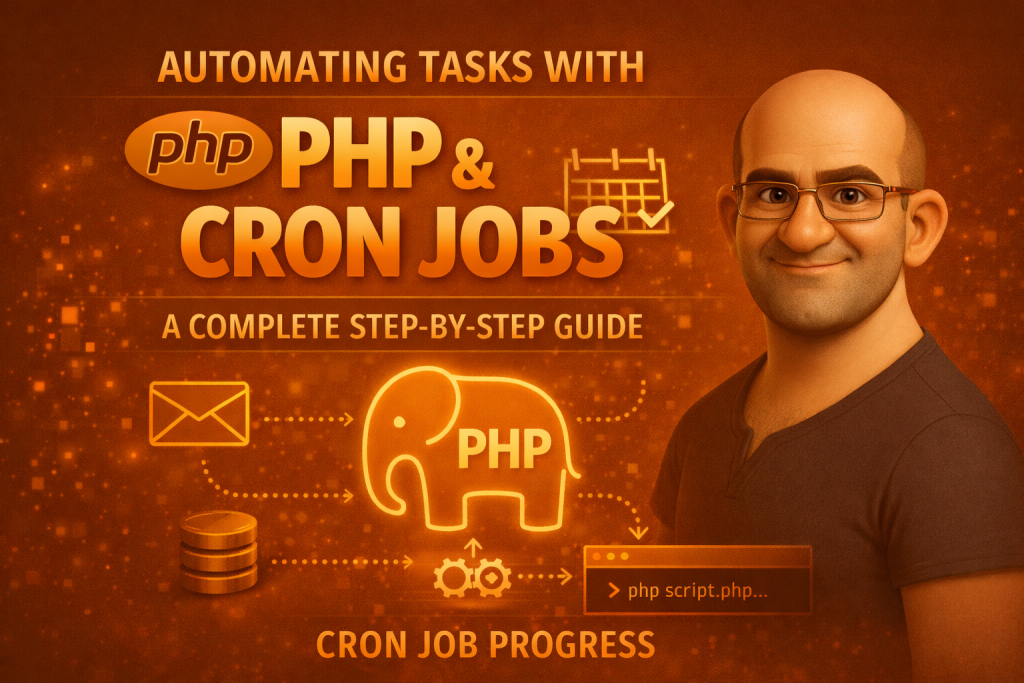
In modern web development, repetitive tasks — like sending emails, cleaning up old files, syncing data, or backing up databases — can take up valuable time and mental space if done manually. Instead of performing them by hand, you can automate these tasks using PHP scripts executed on a schedule via cron jobs — a powerful feature available on Unix-like servers (Linux, macOS, etc.).
This blog will walk you through the what, why, and how of cron jobs with PHP — with clear examples and practical tips you can use right away.
What Is a Cron Job?
A cron job is a scheduled task that runs automatically at a specified time or interval on a server. It’s part of the Unix/Linux cron system — a built-in scheduler that checks a table called the crontab for jobs to run.
Cron is extremely versatile and can run any script or command you want — including PHP files.
Why Use Cron Jobs with PHP?
Here are some common automation use cases where PHP + cron shines:
- ✅ Daily email reports
- ✅ Database backups
- ✅ Clearing old session files or logs
- ✅ Syncing data between systems
- ✅ Generating periodic analytics reports
- ✅ Sending scheduled SMS or notifications
Instead of relying on users triggering these tasks manually, cron keeps everything running smoothly in the background.
How Cron Scheduling Works
Cron uses a special schedule format with five fields, describing when a task should run:
* * * * * command
│ │ │ │ │
│ │ │ │ └─ Day of week (0–7)
│ │ │ └── Month (1–12)
│ │ └─── Day of month (1–31)
│ └──── Hour (0–23)
└───── Minute (0–59)
For example:
0 2 * * * /path/to/php /path/to/script.php
→ Runs a PHP script every day at 2:00 AM.
Cron has built-in shortcuts, too:
| Shortcut | Meaning |
|---|---|
| @hourly | Every hour |
| @daily | Every day |
| @weekly | Every week |
| @monthly | First day of month |
Cron can’t run more often than every minute natively — for sub-minute needs, scripts usually loop internally.
Setting Up a Cron Job for PHP
1. Write Your PHP Automation Script
Create a standalone PHP file (doesn’t rely on sessions or browser input):
<?php
// daily_report.php

require 'config.php'; // optional: database or settings file

function sendDailyReport() {
    $to      = "user@example.com";
    $subject = "Daily Task Report";
    $message = "This email was sent automatically via cron job.";
    $headers = "From: no-reply@example.com";

    mail($to, $subject, $message, $headers);
}

sendDailyReport();
echo "Report sent at " . date('Y-m-d H:i:s') . "\n";
?>
This script can be run from the command line without a browser.
2. Make Sure PHP CLI Is Installed
On most servers, PHP has a command-line interface (CLI). You can check it:
which php
Example output might be:
/usr/bin/php
You’ll use that path in your cron entry.
3. Edit the Crontab File
Open terminal and type:
crontab -e
This opens the cron schedule editor.
4. Add Your Cron Job
To run your PHP script every day at 2 AM:
0 2 * * * /usr/bin/php /var/www/html/daily_report.php >> /var/log/daily_report.log 2>&1
✔ >> /var/log/daily_report.log appends output and errors to a log file — great for debugging.
After saving and exiting, cron installs the new schedule.
Examples of Cron Schedules
| Tasks | Cron Expression |
|---|---|
| Every minute | * * * * * |
| Every 5 minutes | */5 * * * * |
| Every day at midnight | 0 0 * * * |
| Every Monday at 8 AM | 0 8 * * 1 |
| First of every month | 0 0 1 * * |
Best Practices
✔ Logging is essential
Always log output:
0 3 * * * /usr/bin/php /path/to/script.php >> /path/to/logfile.log 2>&1
This makes debugging easier when something doesn’t run.
Don’t let overlapping tasks run
If a job takes longer than the interval you scheduled, you might end up with multiple copies running simultaneously. You can prevent this with lock files, checking process lists, or using semaphore mechanisms.
Performance matters
Optimize code so scripts finish quickly, especially if they’re scheduled frequently (like every 5 or 10 minutes).
Monitor your cron jobs
Instead of assuming everything works, check logs regularly or use monitoring tools to alert you if jobs fail.
Real-World Use Case: Sending Weekly SMS
You could adapt your script to send text messages every Saturday morning. For example:
- Write weekly_sms.php that calls an SMS API.
- Schedule it with cron:
0 8 * * 6 /usr/bin/php /path/to/weekly_sms.php >> /path/to/sms.log 2>&1
This runs at 8:00 AM every Saturday.
weekly_sms.php – PHP Script to Send Weekly SMS via Cron
🔹 Use Case
Send a weekly reminder SMS to users every Saturday at 8:00 AM automatically.
weekly_sms.php (Example Code)
<?php
/**
 * File: weekly_sms.php
 * Purpose: Send weekly SMS notifications using Cron Job
 * Run: Every Saturday at 8 AM
 */

// Set timezone
date_default_timezone_set('Asia/Kolkata');

// Log file
$logFile = __DIR__ . '/weekly_sms.log';

// SMS API credentials (example)
$apiUrl   = "https://api.smsprovider.com/send";
$apiKey  = "YOUR_API_KEY";
$sender  = "WEBSMS";

// Recipient details
$mobileNumbers = [
    "91XXXXXXXXXX",
    "91YYYYYYYYYY"
];

// SMS content
$message = "Hello! This is your weekly reminder. Have a great weekend!";

// Function to write logs
function writeLog($message, $logFile) {
    file_put_contents(
        $logFile,
        "[" . date("Y-m-d H:i:s") . "] " . $message . PHP_EOL,
        FILE_APPEND
    );
}

// Loop through recipients
foreach ($mobileNumbers as $mobile) {

    $postData = [
        "api_key" => $apiKey,
        "to"      => $mobile,
        "sender"  => $sender,
        "message" => $message
    ];

    $ch = curl_init();
    curl_setopt_array($ch, [
        CURLOPT_URL            => $apiUrl,
        CURLOPT_POST           => true,
        CURLOPT_POSTFIELDS     => http_build_query($postData),
        CURLOPT_RETURNTRANSFER => true,
        CURLOPT_TIMEOUT        => 30
    ]);

    $response = curl_exec($ch);
    $error    = curl_error($ch);
    curl_close($ch);

    if ($error) {
        writeLog("SMS Failed for {$mobile}: {$error}", $logFile);
    } else {
        writeLog("SMS Sent Successfully to {$mobile} | Response: {$response}", $logFile);
    }
}

echo "Weekly SMS Cron Executed Successfully\n";
?>
Cron Job Entry for weekly_sms.php
Add this to your crontab:
0 8 * * 6 /usr/bin/php /var/www/html/weekly_sms.php >> /var/log/weekly_sms_cron.log 2>&1
Explanation
| Field | Meaning |
|---|---|
| 0 | Minute |
| 8 | Hour (8 AM) |
| * | Every day |
| * | Every month |
| 6 | Saturday |
Log Output Example (weekly_sms.log)
[2025-01-06 08:00:01] SMS Sent Successfully to 91XXXXXXXXXX | Response: OK
[2025-01-06 08:00:02] SMS Sent Successfully to 91YYYYYYYYYY | Response: OK
Security & Best Practices
✔ Keep API keys in .env or config file
✔ Always enable logging
✔ Use PHP CLI only (/usr/bin/php)
✔ Avoid hard-coding sensitive data
✔ Test script manually before cron:
php weekly_sms.php
Conclusion
Automating repetitive tasks with PHP and cron jobs is one of the most valuable tools you’ll use as a backend developer. It saves time, increases reliability, and lets your applications take care of routine work automatically.
By following this guide — writing self-contained PHP scripts, understanding cron syntax, and logging output — you can automate virtually anything on your server:
✔ Emails
✔ Database tasks
✔ Data syncing
✔ Maintenance jobs
…all running on schedule without manual action.
Happy automating!